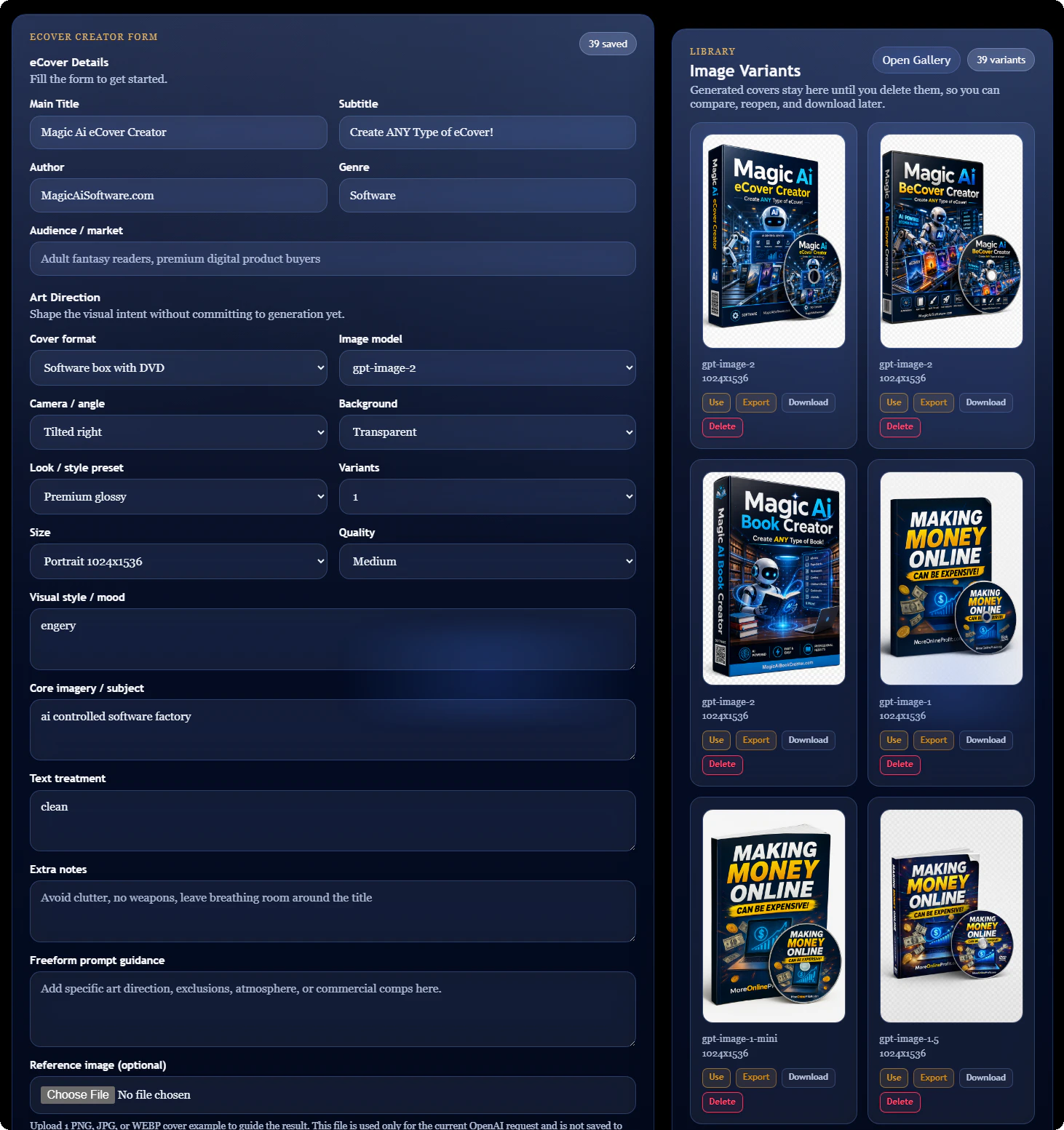
Everything needed to turn one image into a complete delivery package.
The workflow is built for speed. Generate your cover, reuse saved designs, export smaller files, and hand clients or customers the exact formats they need.
Generate Product Covers
Create professional covers for books, paperbacks, software boxes, spiral products, and DVD bundle styles.
Reuse Saved Designs
Send a saved cover back into the creator, restore the brief, and use your best image as a new reference.
Export Smaller Sizes
Create web-ready versions at useful widths like 256, 512, 768, and 1024 pixels.
Download One ZIP
Package every selected export into one simple ZIP file for fast delivery and easy storage.
See how the eCover workflow comes together.
Quick overview of creating a cover, reuse a saved design, export web-ready sizes, and/or download everything in one ZIP.
- Enter just basic info.
- Or, enter advanced info for full control.
- Within 1-3 mins your cover is ready.
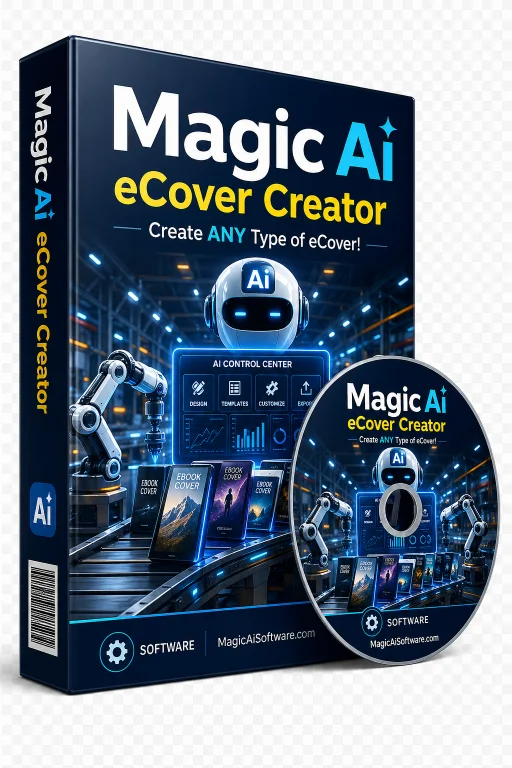
Open any saved cover and create delivery-ready files.
Each saved image can have an Export action. The user opens the export page, chooses a format, picks one or more sizes, and downloads all generated files together.
Open Gallery
Browse saved images and choose the design you want to prepare.
Click Export
Open a clean export screen made for that one image.
Choose Options
Pick PNG, JPG, or WebP, then select your output sizes.
Download ZIP
Get all selected exports in one neat package.
The right size and format for every upload, sales page, funnel, or download area.
Keep the original image safe. Generate smaller copies only when needed. The aspect ratio stays intact, so your cover does not stretch or distort.
PNG
Best when you want crisp, lossless image quality and transparency support.
JPG
Best for broad compatibility, fast loading, and smaller file sizes.
WebP
Best for modern websites that need sharp images with lighter file weight.
Preset sizes that make sense.
No confusing custom fields. Choose common web sizes and let the app preserve the original shape automatically.
A faster way to create cover graphics for offers, guides, courses, and downloads.
The system keeps the creative process simple. Generate the image, review the gallery, reuse a winning design, then export the exact files needed for your page or product area.
- Use saved images as references for the next generation.
- Restore saved briefs back into the creator form.
- Show only the latest creations on the home screen.
- Keep the full image history inside the gallery.
- Warn users when a lower-capability model may affect results.
- Reset preferred defaults without clearing the saved API key.

Paperback Book
A clean option for ebooks, guides, and training manuals.

Software Box With DVD
Great for apps, toolkits, installers, and digital bundles.

Spiral Book With DVD
Useful for worksheets, training packs, and course assets.

Paperback With DVD
A strong visual for premium downloads and bonus packages.
The example gallery...
Here are a few ecovers and software boxes so you can see the quality of the generated images.
Paperback with DVD
Great for PDF guides with videos.
Software Launch Kit
Ideal for apps and digital software offers.
Course Workbook
Perfect for courses and training material.
Spiral Book with DVD
Useful for courses with videos.
Software Box
Strong fit for marketing and sales guides.
Software Box
Made for reports and client downloads.
Software Box
Great for AI tools and template bundles.
Software Box
Works well for manuals and how-to content.
Membership Toolkit
Perfect for private downloads and member perks.
Image Export Options
Zip them all or download each..
Image Gallery
Built-in image gallery with search.
Setup
Simple and easy to setup!
Three full-size eCovers for only $0.16
This is the part that feels almost unreal. I generated three high-quality 1024 X 1536 eCover images on medium quality, and the total cost was only 16 cents using my own OpenAi API key.
- Create product covers without paying a designer for every image.
- Generate multiple cover ideas for just pennies.
- Use your own API key and stay in control of your cost.
- Export the finished covers for sales pages, downloads, and product listings.
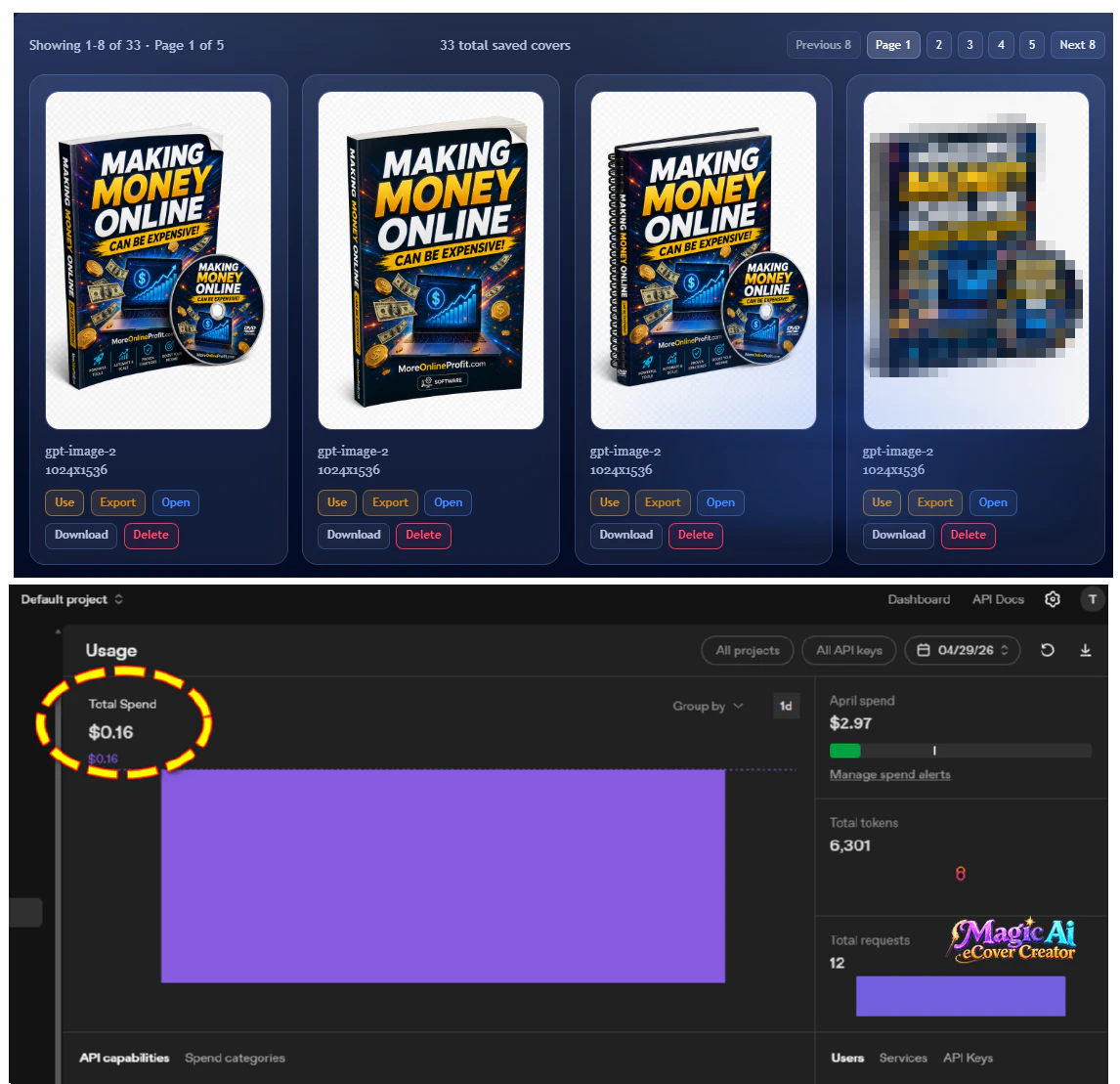
Cost shown is based on this example run. Actual cost can vary based on model, size, quality, and provider pricing.
Simple answers before you get started.
The most important thing to remember is you MUST bring (use) your own OpenAi API key.
Will exports stretch my image?
No. Exported sizes keep the original aspect ratio, so the image remains proportional.
Can I export multiple sizes at once?
Yes. Choose one or more preset widths and download every generated file in one ZIP.
Which format should I use?
Use PNG for quality, JPG for broad support, and WebP for modern website delivery.
Does this replace my original image?
No. Exports are generated as separate files, while the original saved image remains untouched.
How do I buy?
Click the WarriorPlus checkout button and complete your order through WarriorPlus.
What is the release special?
During the release special, buyers get 2 years of free updates included with their purchase.
Will the 2-year update bonus always be included?
No. This is a limited-time release special and may be removed after the launch period.
Do users need their own API key?
Yes. This product is designed for users who wish to bypass the middle man and bring their own OpenAI API key. Sign up here to get your API key.
How do buyers get access after purchase?
After successful payment you will be directed to a special WarriorPlus download page. From there you will have full directions.
Can buyers use the images in products?
YES! They are your creations, use them in personal and commercial projects. You can even sell them to your clients.
Turn one great eCover into every file your project needs.
Create, reuse, resize, convert, and download a complete ZIP package without leaving the workflow.